For active traders

Find the move. Protect the trade.

Hinoko scans the whole market live, tells you which setups have actually paid, and keeps your stops and targets working at your broker while you trade.

Private beta. One email when your seat is ready — nothing else.

The Hinoko workspace mid-trade: a long position in WFF with Hinoban's trailing stop on the chart, beside the order ticket, the depth book and the watchlist

01/Scanners

The whole market, not just your watchlist.

Every US stock, watched minute by minute, with what is moving put in front of you the moment it moves.

  • Top gainers, running now and in play, ranked live
  • Halts, news and SEC filings the moment they land
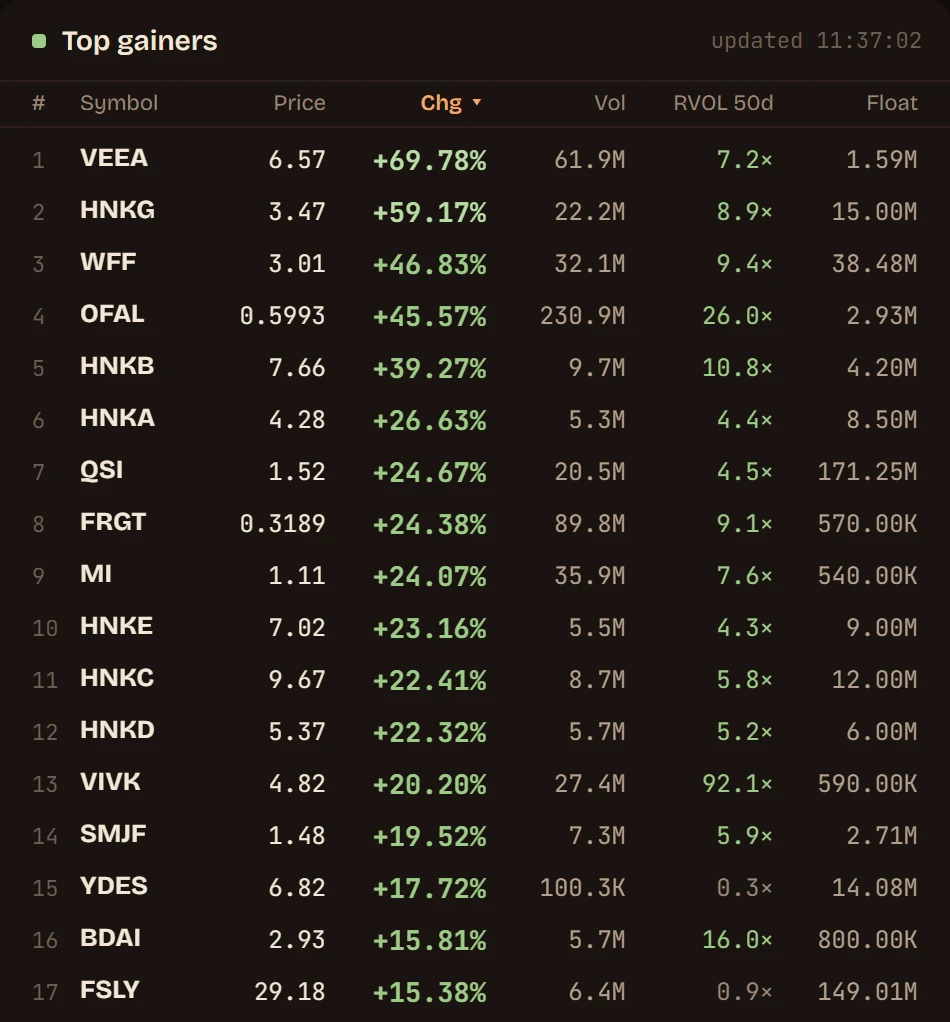
Top gainers, ranked live by the day's change, with volume, relative volume and float
The market alert stream: new highs, key-level breaks, volume surges and news as they happen

02/Setups

Know which setups actually pay.

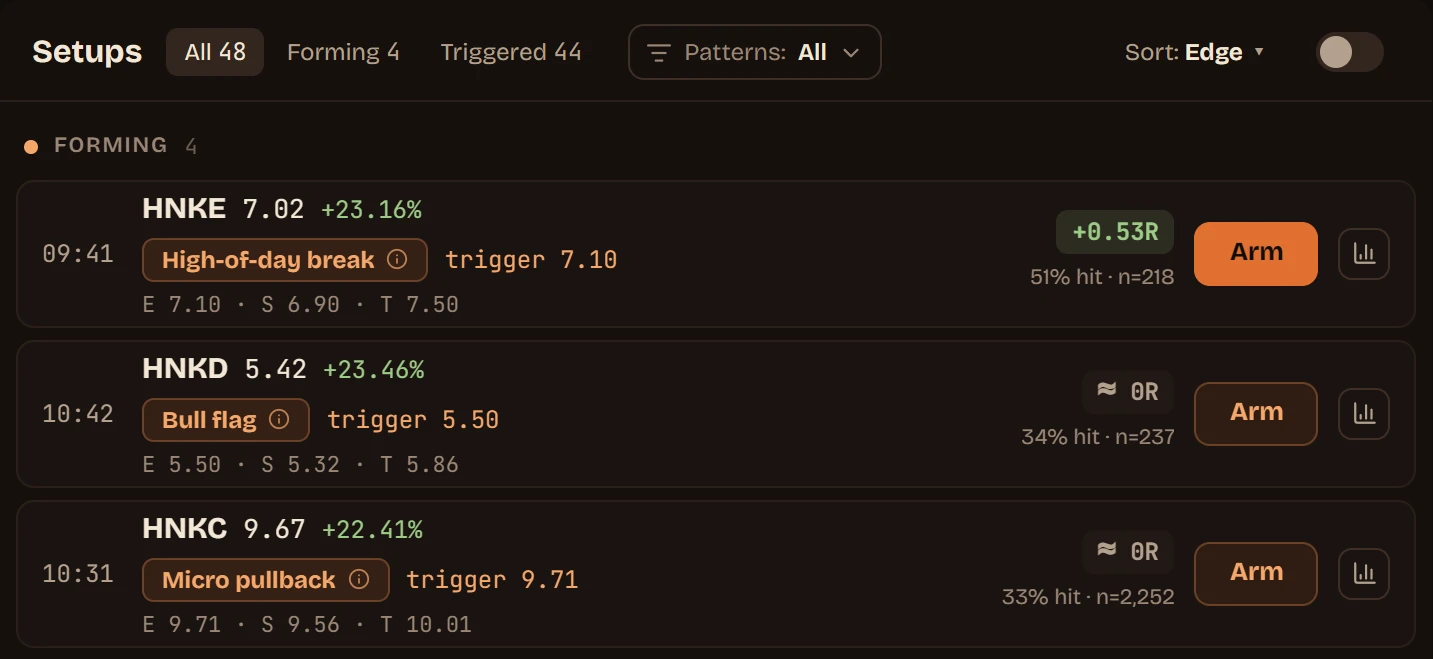
Every pattern is replayed against past sessions, so the setups with an edge rise to the top and the ones that lose money say so.

  • Entry, stop and target on every setup
  • One click arms the order ticket
Live setups ranked by edge, each with its entry, stop, target and hit rate

03/Exits

hinoban · the fire-watch

It keeps watch while you trade.

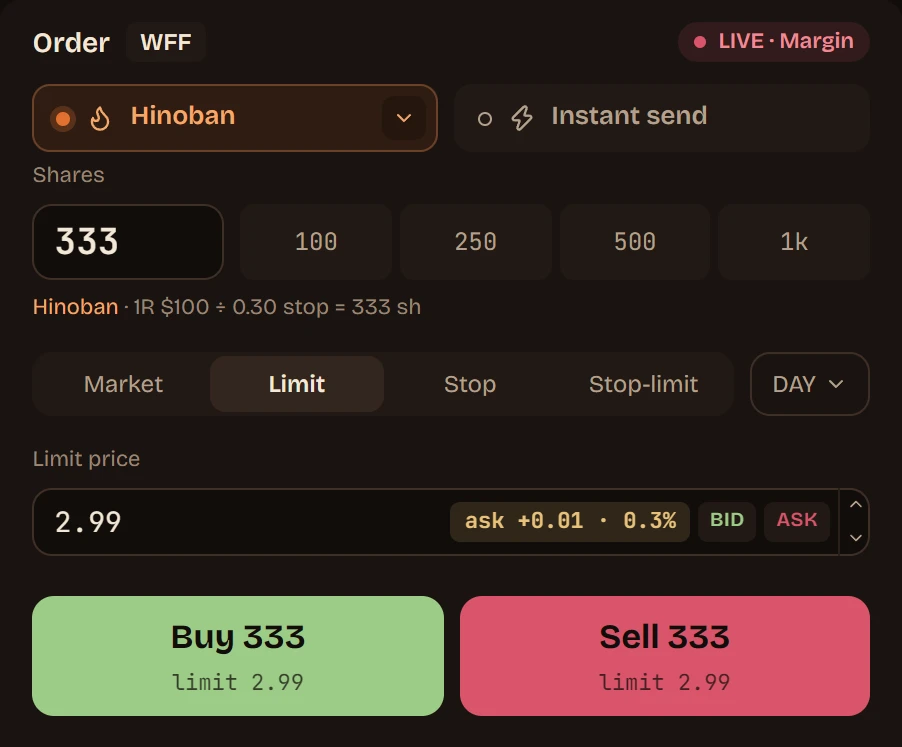
Turn Hinoban on and every trade gets its exits at your broker — scaled stops the moment you are filled, targets taken as price reaches them, and a trailing stop on the runner.

Hinoban's exit plan for a sample trade: the entry, scaled stops below it, profit targets and the runner's trailing stop above, and what each outcome pays
The order ticket with Hinoban on, sized from one risk amount

Trade with your exits already in place.

Request access

04/Journal

See where your money really comes from.

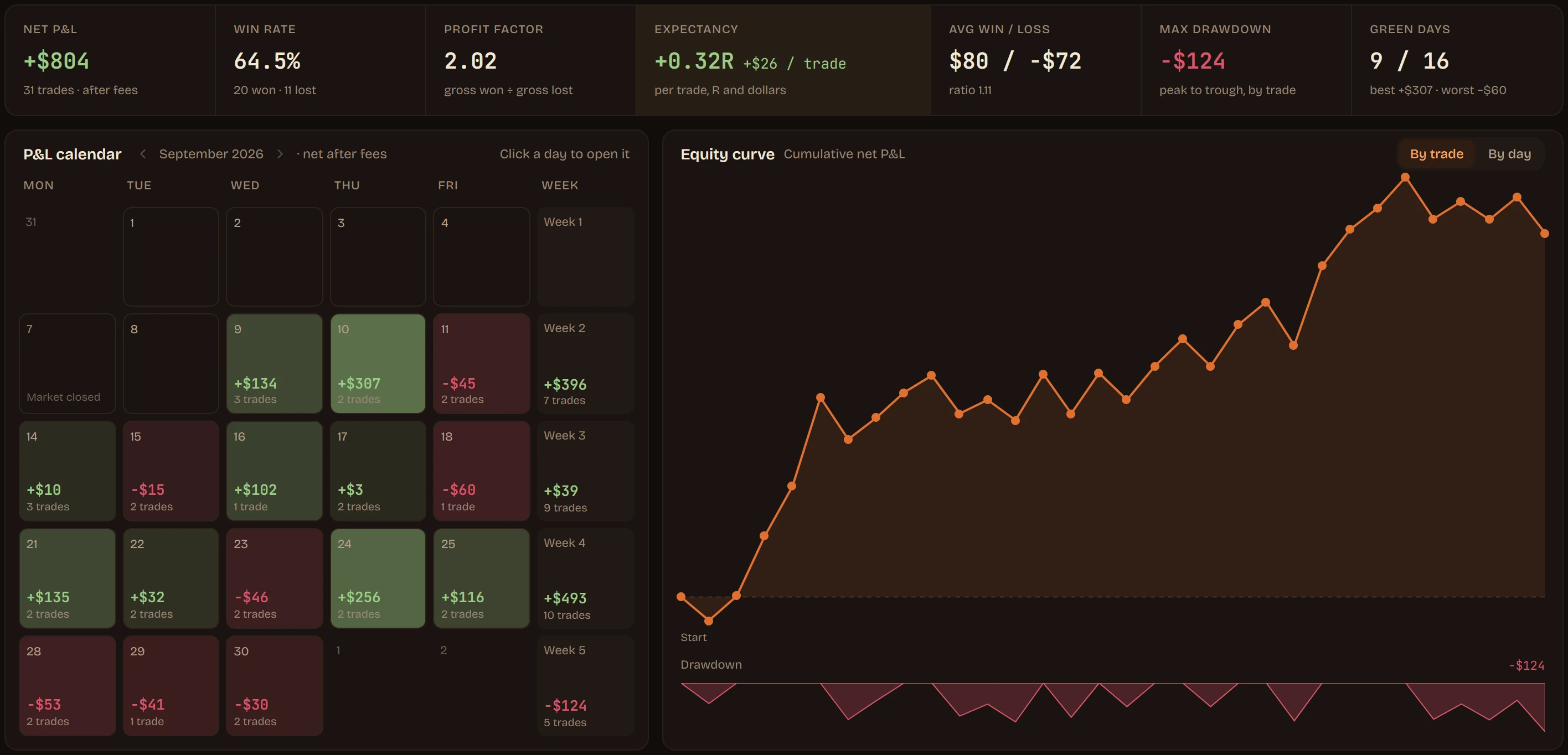
Every fill becomes a trade, broken down by day, by setup and by time of day — and the journal says plainly when your R and your dollars disagree.

  • Recorded automatically, or import any statement
  • Tags, notes and review templates
The journal overview: net P&L, win rate and expectancy, a P&L calendar and the equity curve

05/Make it yours

Make it look like your desk.

Change the colours, the fonts and the layout until Hinoko feels like yours. One chart or many — save the looks you like and switch between them in a click.

Hinoko in a plum and pink theme, with one large chart over two smaller ones

Warm or cool, one chart or four: the same app, set up four ways.

Your broker, your account.

TradeZero, Interactive Brokers, Charles Schwab, E*TRADE, tastytrade, TradeStation, Webull, Alpaca, Tradier

Questions

Before you sign up.

Which brokers does Hinoko work with?

Hinoko is built for the major brokers that offer a trading API, and their connections open up through early access. Tell us your broker when you sign up, and we will write the moment yours is ready.

Are my broker keys safe?

Hinoko connects with API keys, never your broker password, and you can revoke them from your broker's site at any time. The keys stay on Hinoko's side and are never sent back to your browser.

Which markets does it cover?

US stocks, across pre-market, regular hours, after hours and the overnight session.

Do I need my own market data?

No. Live data is included: the consolidated tape for prices and prints, with Nasdaq TotalView for depth.

Take a seat by the fire.

Hinoko opens to traders in small groups. Leave your email and we will write when there is a seat for you.